Pixcen Deluxe

Pixel-perfect C64 graphics editor for Mac, Windows and Linux

Pixcen Deluxe 2.0 is a specialized pixel editor for creating Commodore 64 graphics with modern editing comfort and C64-aware constraints. It is designed for pixel artists, game developers, and demosceners who need artwork that can survive the realities of VIC-II color limits, memory layouts, sprites, character sets, FLI modes, and export pipelines.

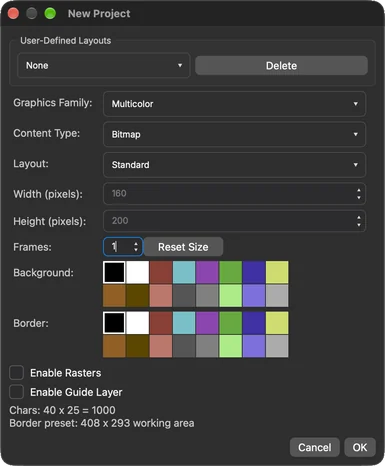
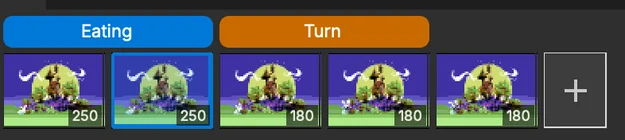
Pixcen Deluxe on macOS editing a multicolor bitmap, with the palette and layers panels New Project dialog with graphics mode, layout and palette settings Animation timeline with tagged frame ranges

Made for real C64 work

From the first pixel to the finished production.

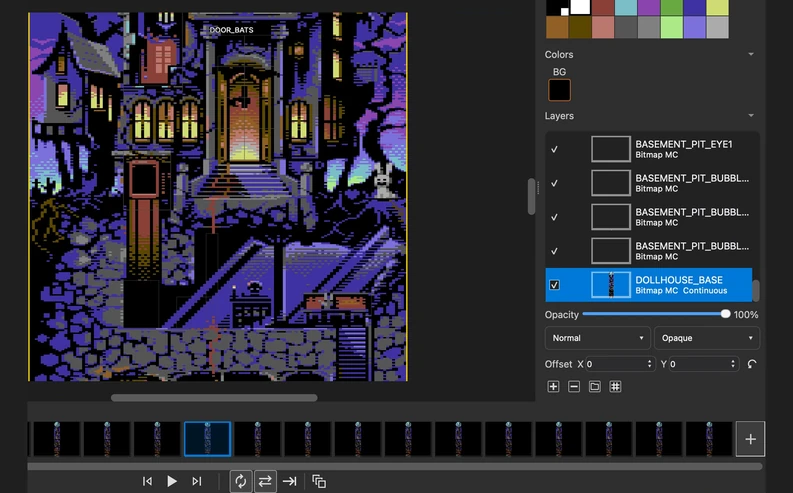
Dollhouse with bitmap and sprite layers switched off and on in four visibility states
Dollhouse by The Sarge: bitmap and sprite layers switched off and on.

Full layers support

Build a complete scene without flattening your work. Mix bitmap, character and sprite layers; organize them into groups, move them independently, and control visibility, locking, transparency, opacity and blending. Keep reference images and guides beside the artwork, and save the composition in one GPX project.
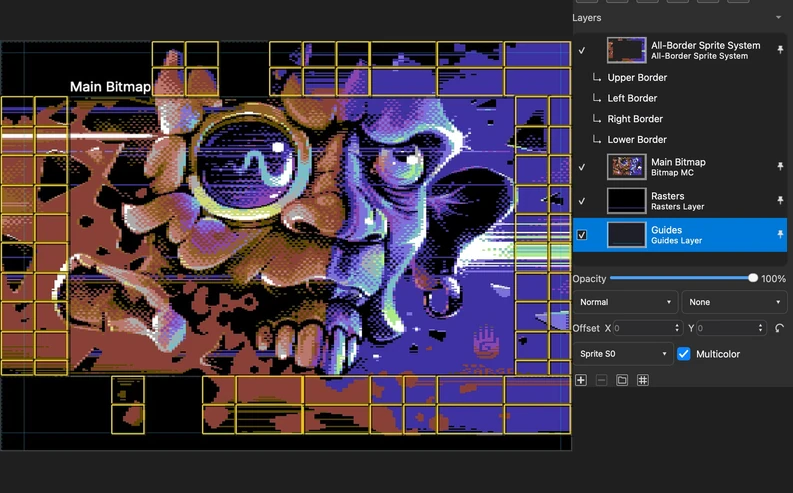
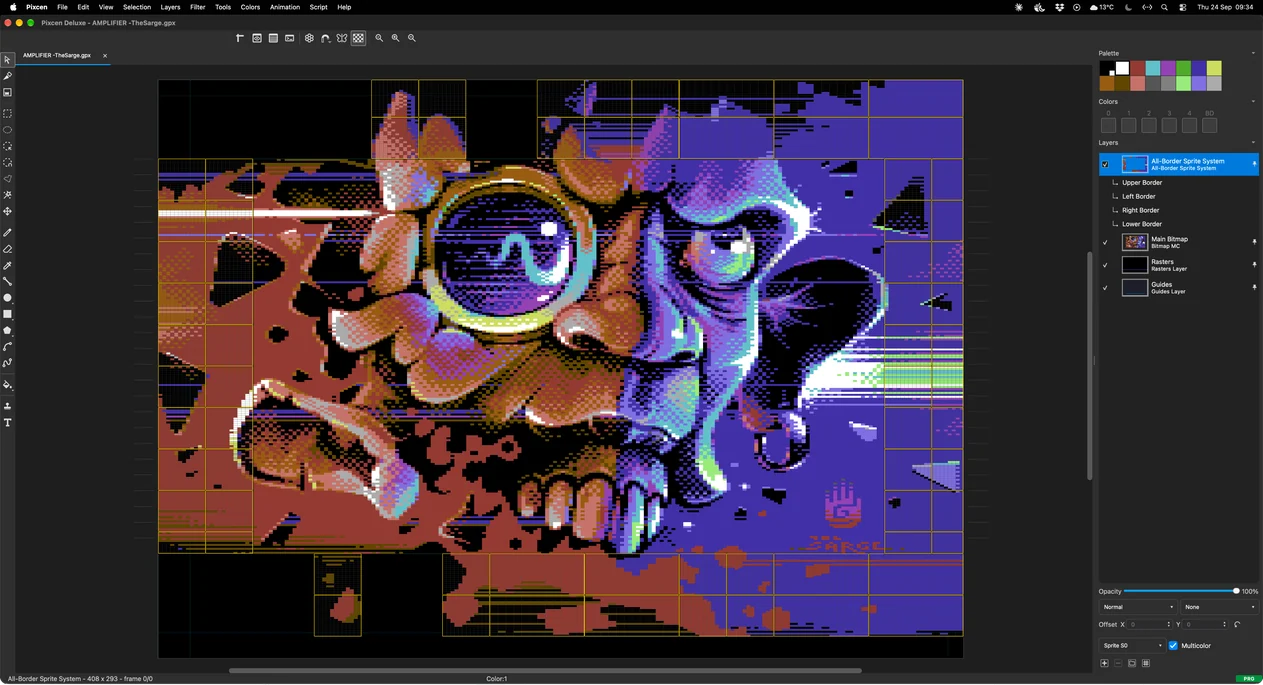
Amplifier by The Sarge in the All Borders layout, showing the complete picture, border sprite regions, Main Bitmap and Rasters layers
Amplifier by The Sarge: artwork continues into all four borders.

Special graphics modes. Runnable PRG export.

Go beyond the standard screen. All Borders layouts combine a central bitmap, border sprites and rasters in one editable composition. Work in hires, multicolor, mixed, FLI, character and sprite modes, then export supported modes and layouts as runnable C64 PRG files. All Borders is a dedicated PAL workflow with its hardware structure built into the editor.

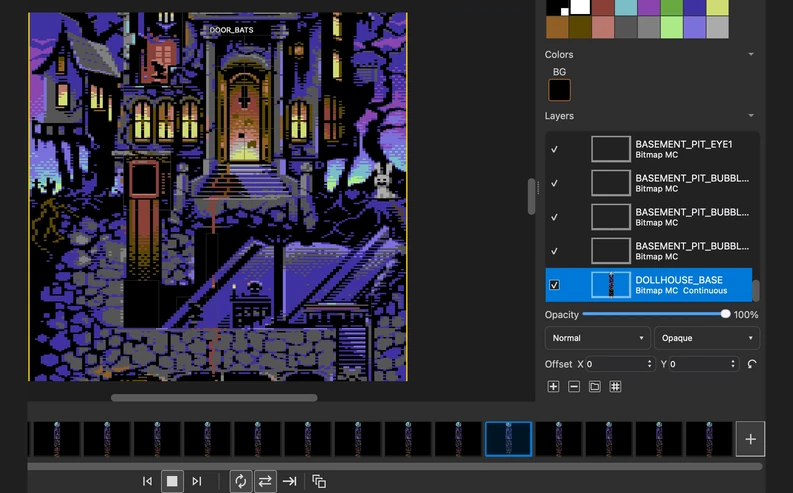
Dollhouse by The Sarge with animation frame thumbnails, component layers and playback controls
Dollhouse by The Sarge: a detail of the scene playing on the shared timeline.

Bring your pixels to life

Animate sprites, characters and bitmap artwork in the same editor. Duplicate and edit frames, use onion skinning to follow movement, and set individual frame durations. Give layers their own named loops, with forward, reverse or ping-pong playback, while continuous layers hold the background. Export the result as an animation, sprite sheet or video.

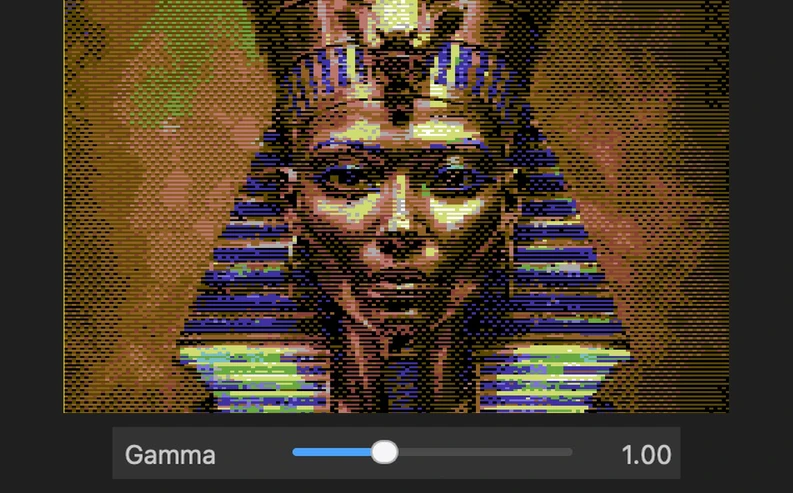
The Pharaoh example converted with four gamma settings, paired with the real Gamma slider
Four real conversions of the Pharaoh example, changing the Gamma slider.
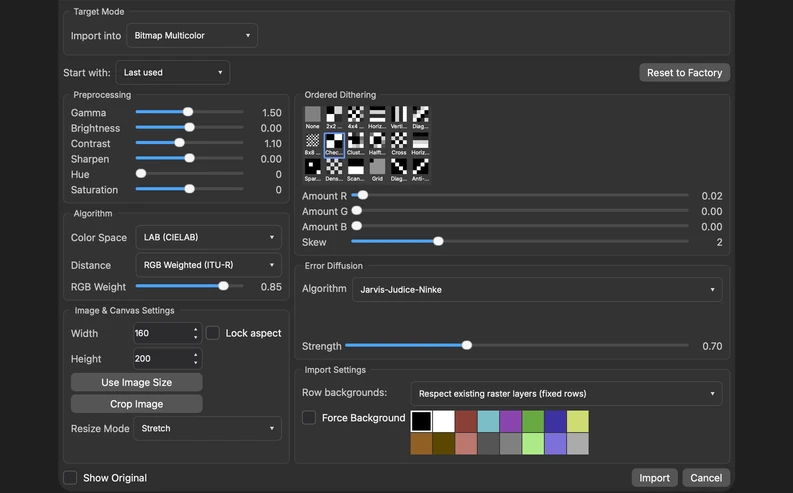
Pixcen Color Reduction import controls for target graphics mode, preprocessing, dithering and error diffusion

Turn full-colour pictures into C64 artwork

Start with an image and shape the conversion to suit your picture. Choose the target graphics mode, adjust the image, compare dithering and error-diffusion options, and tune colour matching before importing. The result is editable artwork in Pixcen, ready for the next round of pixel work.

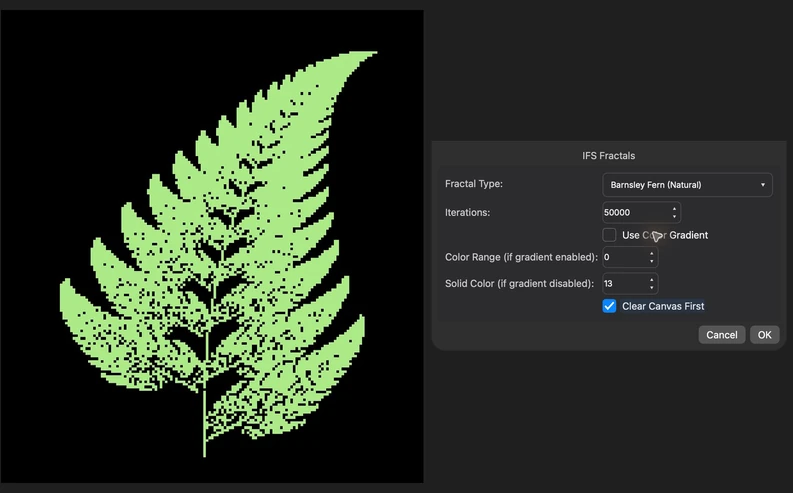
A green Barnsley fern generated by the built-in IFS Fractals JavaScript tool, paired with its parameters
The built-in IFS Fractals tool: a Barnsley fern generated from 50,000 iterations.

Create your own tools

Make Pixcen work the way you do. Use JavaScript for custom drawing tools, algorithmic brushes, shader fills, filters and exporters. Start with the included examples, experiment in the console, and turn a repeatable technique into a reusable tool.

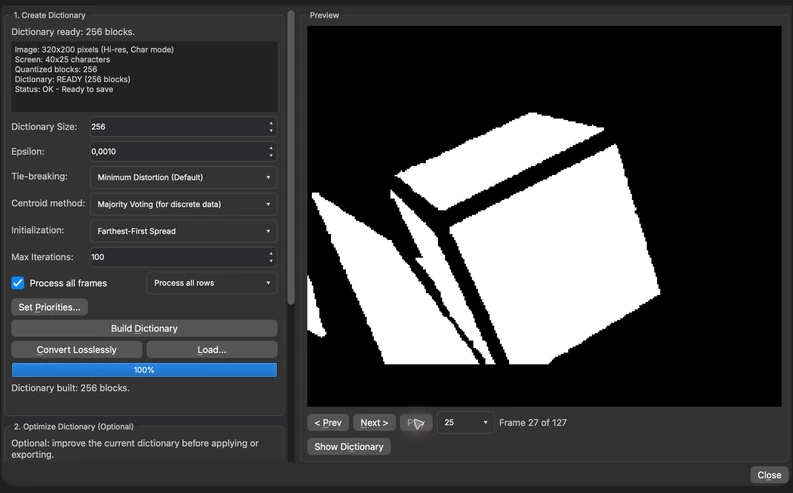
Vector Quantizer with a dictionary built from the Walking Cube character animation and a preview of the result
Walking Cube by Luke: build a shared dictionary across animation frames.

Vector quantization for compact animations

Turn image blocks into a reusable dictionary. Build a dictionary to a chosen size, optimize it, and preview the quantized result before applying or exporting. Process animation frames together to share blocks across the sequence, balancing the character budget against the detail you want to keep.

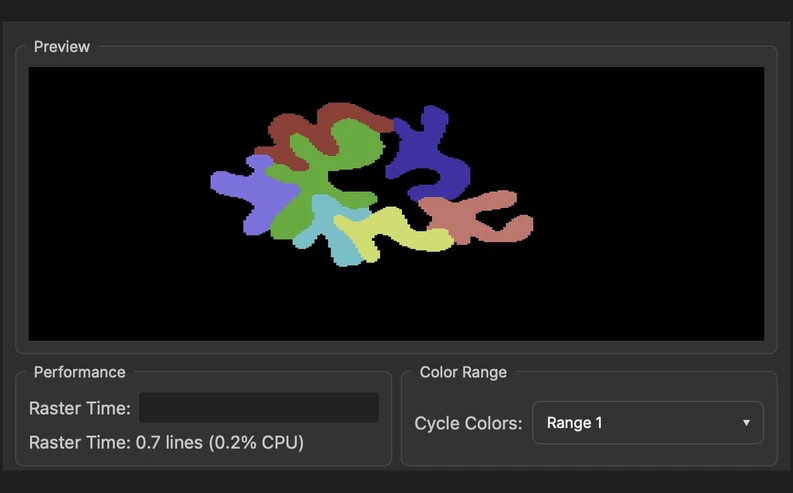
Pixcen Color Cycling tools with a built-in cycling example and its colour-source controls
Animate colour sources without redrawing every frame.

Animation through colour cycling

Bring a still picture to life by changing its colours. Define colour-source areas, create cycling effects and test them in the editor. Use the frame timeline to coordinate changes, then export supported colour-cycling projects for the C64.

Tools for pixel artists

Freehand and pixel-perfect drawing, curves, splines, shapes, gradients, text, cloning, symmetry and selections.

A practical format toolbox

GPX projects, modern image formats, C64 formats, raw data and assembly exports for the next step in your pipeline.

See it as pixels or phosphor

Keep a separate preview window open and use CRT emulation to check the feel of the finished picture.

Release notes

What changed in the latest release.

Pixcen Deluxe 2.0.4

  • Fixed truecolor previews showing different colors from the final import when automatic FLI backgrounds or shared layer rasters are involved.
  • Corrected the Top + Bottom Borders layout name to “7 Expanded Hires Sprites” and fully debugged the .prg displayer
  • Restored Bimber’s artwork to the random startup splash selection, including its Retina version.
  • Disabled VICE, RetroDebugger, and Ultimate preview when no suitable PRG displayer supports the current image.
  • Simplified the message when no PRG exporter supports the selected graphics mode, including VICE preview.
  • Improved website downloads with platform dropdowns and a full version archive with release notes; limited homepage notes to the latest version and removed footer release metadata.
  • The website Download button now picks the right package for your Mac, Windows or Linux computer, with smaller platform links below as a fallback; animation Pause/Play buttons now sit on the images so captions stay close. (Thanks: Joachim Ljunggren)
  • Gave the stencil pattern popup rounded corners and a border like Pixcen’s menus. (Thanks: Joachim Ljunggren)
  • Evened out the tool options bar: the stencil brush icon now lines up with the other brush buttons in brush and shape options, Size, Density and Sides each get a little more room, and its input fields are shorter to match the buttons. (Thanks: Joachim Ljunggren)
  • Gave the animation player controls the toolbar look: a little room above and below, a clear gap between the playback buttons and the playback options, and no drag handle. The frame strip’s + button is now as wide as a thumbnail with a much quieter outline. (Thanks: Joachim Ljunggren)
  • Tidied the Settings dialog: more space below the tabs and between rows, combo boxes sized to their contents, a centred Restore CRT defaults button, an airier Emulators tab (renamed from Emulator), and an update interval list of 24, 12, 6 or 1 hours. (Thanks: Joachim Ljunggren)
  • Gave the About box more padding around the logo; the scrolling credits are unchanged. (Thanks: Joachim Ljunggren)
  • The update window now keeps one size and stays open through the whole update, with the logo, label, version and status stacked left-aligned. (Thanks: Joachim Ljunggren)
  • Keep updater cancellation accurate during handoffs, close information-only offers correctly, and preserve readable long errors and version labels inside the fixed window.
  • Made panning and zooming with the Pixel Grid on much smoother, by drawing only visible grid lines and caching them after movement stops. (Thanks: Joachim Ljunggren)

All versions & release notes